Privacy Policy for Waveform Mobile Applications
Effective Date: 2026-10-27
Staircase 3, Inc ("we," "us," or "our"), the owner of the brand and website Waveform.com, respects the privacy of its users ("user" or "you") who use our Waveform for AIA, WalkTest, or SignalStream mobile applications (hereinafter referred to as the "Service" or "app"). This Privacy Policy explains how we collect, use, disclose, and safeguard your information when you visit our mobile application. Please read this privacy policy carefully. If you do not agree with the terms of this privacy policy, please do not access the application.
Waveform for AIA
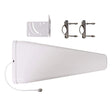
Waveform for AIA helps you set up a Waveform antenna with an AT&T Internet Air gateway. The information below describes this app specifically. The account-registration, location-mapping, social-posting, advertising, and marketing features described in the WalkTest and SignalStream section do not describe Waveform for AIA's current setup and diagnostic functions.
Information collected and how it is used
For a real setup, we associate your installation with an app profile that may include information provided when your order was fulfilled, your installation-support phone number, and a random installation identifier. The app sends enrollment information when you enter your setup code and saves the support number when you confirm it. In versions that offer it, you can begin setup by entering the US phone number on your order instead of the setup code. The app sends the number to Waveform's app service to look for a matching order. This is a lookup, not verification: we do not text you as part of the lookup, and entering a number does not prove you own the order. If one order matches, the app shows the first name on it. If none or more than one match, the app asks for your setup code. To limit repeated attempts, we keep a one-way, keyed fingerprint of numbers entered. After you sign in to your Hub locally, the app can start a fresh setup and save the number as the support contact for that setup; you can change it in Settings. Someone who knows an order's phone number can start a new setup for that order and add test results to it, but cannot see earlier results or delete your data; deletion requires your setup code. Versions offering restoration of earlier results are described below. You can use the private setup code inside your box instead; that code is also required for order-based in-app account deletion.
Recognizing your order. When you order an AIA kit, we keep a minimal record of that order (order number, date, kit type, a protected form of your phone number, and whether it has been fulfilled or shipped) so the app can recognize your order before your kit arrives. It is deleted with your account, 30 days after the order is cancelled, or 120 days after the order if the kit is never set up.
With your agreement, the app sends setup progress, gateway model and firmware information, antenna-mode and Wi-Fi checks, radio measurements, download and upload speeds, latency measurements, names you give your test locations, and diagnostic outcomes to Waveform's app service. We use this information to guide installation, compare antenna positions, and help our support team troubleshoot your setup.
With your diagnostics agreement, the app can collect cellular signal readings during download and upload tests. While the app is open, it can also collect readings about every 10 seconds for up to two minutes after a confirmed switch to external antennas. The readings include their time, reported radio technology, signal strength and quality, reported cell identifiers, and available band and channel-width information. They are sent to Waveform with your setup records to compare antenna positions and help support investigate connection changes.
Camera access is optional and is used to read setup-code or gateway-access-code barcodes. You can enter the codes manually instead. Gateway access credentials are stored on your phone and are not included in diagnostic reports. The app does not need access to your contacts or microphone. Wi-Fi and local-network permissions are used to identify and communicate with your gateway.
Installation troubleshooting reports
In app versions that offer this feature, with your diagnostics agreement, Waveform can receive technical setup reports before gateway sign-in is completed, including rejected access-code attempts, unavailable gateway replies and failed or incomplete connection tests. Phone-based order lookup does not verify ownership. Reports linked through that lookup are labelled as unverified setup attempts; they do not unlock earlier results or account controls. Gateway access codes, Wi-Fi passwords, authentication cookies and raw gateway responses are excluded. Waveform associates these reports with the order found through the phone number you entered, so support staff can investigate setup problems. The reports contain the setup step, an error category and app and phone-system version numbers. They are not included in the reports we prepare for AT&T. We keep them until deletion is requested.
Restricted support images
In versions that offer this feature, after you accept the diagnostics agreement, the app can send small support images to Waveform in two ways.
Automatic troubleshooting images. The app may attach a small image of an approved troubleshooting panel to a technical setup report. These images show fixed instructions and error states rather than code-entry fields or camera views.
Report a problem. When you open Report a problem from an eligible app screen, the app may prepare a screenshot of that screen before the report opens. It does not prepare an originating screenshot from Settings or screens used to enter setup codes, phone numbers or Hub access codes, from the scanner, or from the dedicated Earlier results and History recovery screens. Eligible screens may show setup details, such as connection results, names you give test positions and the Hub's local network address. Depending on the screen, they can also show your first name or earlier setup results. The screenshot does not show the report form or its optional note.
The screenshot is held in the app's memory before Send. It is included only if you tap Send with “Include a screenshot of the screen you were on” checked, which is the default. There is no screenshot preview. Leaving the box unchecked when you tap Send, or closing the report before sending it, prevents that screenshot being included. If a screenshot is unavailable or cannot be attached, the report can be saved without one.
Your optional note is not sent to the app service as diagnostic data. The app offers a separate button to open your texting app with the note, setup reference and current test-position name. You choose whether to send that text.
The app does not capture or upload support images during a speed test. After Send, images may be stored in the app's private upload queue and arrive later over a poor connection. Uploads are small, limited and resumable and do not need to finish before you continue setup. If you report a problem before your setup is linked to your order, the screenshot stays on your phone until it is, then uploads.
Support images are linked to your app setup, stored privately and available only to authorized Waveform support staff. They are not shared with AT&T or included in its performance exports and are not sent to Sentry. Support images and technical setup reports, including unfinished image uploads received by the server, are retained until deletion is requested through the app's deletion flow or Waveform support. Preventing an unsent image from being included does not delete earlier reports or images.
Gateway-specific starting placement advice
Where to start. If you use this feature, after you sign in to your All-Fi Hub the app reads its serial number over your home network and sends it once, encrypted, to Waveform's app service to look for reviewed starting directions provided by AT&T. The service converts the serial to a one-way fingerprint to compare it with a private list kept on our server; the list is not sent to the app. We compare your Hub’s serial with placement advice AT&T provided. We keep AT&T-provided serials and original recommendations encrypted so our support staff can review the advice. We keep whether your Hub matched and when we checked. If it matched, we also link your setup to the matching entry, allowing support staff to see the associated Hub serial and advice. Deleting your app account removes that setup link; the underlying AT&T advice list remains. The advice is a starting suggestion. The compass uses your phone's built-in sensor to point a direction; it does not read or send your location. These setup records are subject to the retention and deletion provisions below.
Matching provides a starting suggestion for an indoor window or antenna position; it does not verify order ownership or guarantee a performance improvement. If there is no matching recommendation, or the lookup is unavailable, the app uses generic placement guidance. You can test other windows and positions to compare their measured performance.
Restoring earlier setup results
In versions that offer “Use my earlier results,” you can choose to retrieve your saved setup and test results or start a fresh setup. Your private setup code can authorize retrieval. To support restoration on another phone, a setup authorized with that private code may also register a one-way fingerprint of your gateway’s serial number. The app sends the serial number over an encrypted connection for this purpose; the app service stores the fingerprint rather than retaining the raw serial number. The fingerprint is associated with your app profile and is retained until account deletion is requested.
Gateway-based restoration checks the order phone number and a previously registered gateway fingerprint. This check does not verify ownership of your order. Anyone on the home network, or anyone who can see the label on the gateway, may be able to read its serial number. Someone who knows both that registered serial and the order phone number may retrieve earlier setup and test results through this limited restoration flow. The app asks for your agreement before retrieving results. Restored access cannot reveal your private setup code, change your original account contact information, or delete your account. Completed setups remain available to view, and an eligible unfinished setup can be continued without replacing its inherited baseline or earlier test records.
A support phone number you supply during restoration is saved separately from the original account’s contact information. Your private setup code is required to end existing restored access or request order-based account and app-data deletion. Ending restored access stops its existing credentials but does not delete saved contacts or results or permanently prevent future restoration. Contacts and installation records remain subject to the retention and deletion provisions below.
Sharing with AT&T
We share identifiable customer setup and test results with AT&T so it can analyze the antenna program and product performance, as well as support antenna installation and performance testing. These results are linked to the customer; they are not limited to anonymous or aggregated statistics.
Service providers and support
We use service providers to host the app service, store diagnostic records, measure connection performance, and handle customer support. Performance tests exchange traffic with measurement servers; those servers receive your public IP address and request information needed to handle the test. We may also disclose information when required by law or when necessary to protect rights, property, or safety.
The Get help control offers support options. You choose whether to send a support text message. Support messages are handled separately from the app's diagnostic reporting. The same applies to the optional note in Report a problem: it is included only in a text you choose to send, never in the app's diagnostic reports.
Technical error and crash reporting
Waveform for AIA and its app service may use Sentry (Functional Software, Inc.) to identify and fix software failures. In versions with this reporting enabled, technical reports include the app or service version, operating-system version, the time of the error, technical error identifiers, and sanitized stack traces and code locations. Sentry processes these reports on our behalf.
Before sending reports, we filter out names, phone numbers, account and installation identifiers, gateway access credentials, setup codes, connection-test results, installation placement labels, and request contents. We do not enable Sentry session replay, screenshots, or recordings of your activity. These technical reports are separate from the identifiable customer installation results shared with AT&T.
Technical error reporting operates independently of installation-diagnostic sharing. Where enabled, it can operate before you enter a setup code and in the simulated DEMO walkthrough. Older app versions may not include this reporting. We use these reports to diagnose software failures and maintain reliability, not for advertising or tracking across other companies' apps or websites.
Sentry receives the network IP address used to deliver a report as part of handling the network request. The app does not add your IP address or app-profile details to the report content. Sentry may also derive approximate city, region and country information from that network address, even when the IP address itself is not stored. This is network-derived information rather than GPS location supplied by the app. Sentry's processing is also described in its privacy policy.
Technical error reports follow the applicable retention settings for our Sentry service, separately from the retention of identifiable installation records described below. Our current Sentry Team plan provides 90-day event retention. This is Sentry's applicable service retention, separate from identifiable installation records retained until deletion is requested. Deleting your app profile does not automatically remove previously submitted technical reports, because we do not include app-profile identifiers that would let us find those reports by account or setup code. Contact us using the details below with questions about this reporting or a privacy request.
Demo modes
DEMO provides a simulated walkthrough using local sample data. Technical error reporting, where enabled, can still operate in DEMO as described above. DEMOLIVE creates an app profile and uses a real gateway, real measurements, and server reporting, just like other real setups.
Data retention
We retain your app profile, installation-support contact information, and identifiable setup and test records until you request deletion. These records do not automatically expire when you stop using the app. You can request deletion using the methods below.
Deleting app data and ending diagnostic sharing
You can request deletion using the account-deletion form linked below or by contacting us. In app versions that include it, you can also use Settings → Delete account and app data. If that option is not present in your installed version, use the form or contact us.
The in-app deletion flow removes your app profile and setup/test records from the active app service and clears setup records from the phone. For an order-based setup, you will be asked for the setup code from inside your box. Deletion disables that code and signs out other sessions for the deleted app profile. It does not cancel your order or delete purchase records from our shopping systems.
The app pauses diagnostic sharing while in-app deletion is pending and shows completion after server deletion and local cleanup are confirmed. A lost connection may require retrying. In local-only demo mode, the control deletes local app data without contacting the app service.
Deleting app data does not change the gateway's antenna settings. Gateway certificate trust settings remain on your phone for connection security. Start over is different from deletion: it begins another setup without removing previously uploaded data. If you have started over or lost access to an earlier app profile, contact us for help identifying and deleting that profile.
After in-app deletion, the app service keeps a limited technical receipt to recognize retries for 30 days. It contains a credential digest, request identifier, and deletion and expiry times, rather than your contact details or measurements. Expired receipts are removed by scheduled service cleanup.
WalkTest and SignalStream
The following collection, use, disclosure, and third-party website provisions describe WalkTest and SignalStream.
Collection of Your Information
We may collect information about you in a variety of ways. The information we may collect via the application includes:
Device Data: We collect device information such as a device ID to help us analyze trends, administer the Service, and help us understand how users’ interact with the app.
Data From Contests, Giveaways, and Surveys: Personal and other information you may provide when entering contests or giveaways and/or responding to surveys.
Mobile Application Information: We may automatically collect information regarding your mobile device and your use of our application, such as the type and model of your device, your system software, and your location when using the app to measure and map wifi or cellular signals.
Use of Your Information
Having accurate information about you permits us to provide a smooth, efficient, and customized experience. Specifically, we may use information collected about you via the application to:
- Create and manage your account.
- Compile anonymous statistical data for use internally.
- Deliver targeted improvements and development of the app.
- Increase the efficiency and operation of the app.
- Monitor and analyze usage and trends to improve your experience with the app.
- Notify you of updates to the app.
- Offer new products, services, and/or recommendations to you.
- Perform other business activities as needed.
Disclosure of Your Information
We may share information we have collected about you in certain situations. Your information may be disclosed as follows:
By Law or to Protect Rights: If we believe the release of information about you is necessary to respond to legal process, to investigate or remedy potential violations of our policies, or to protect the rights, property, and safety of others, we may share your information as permitted or required by any applicable law, rule, or regulation.
Third-Party Service Providers: We may share your information with third parties that perform services for us or on our behalf, including data analysis, email delivery, hosting services, customer service, and marketing assistance.
Marketing Communications: We will not share your information with third parties for marketing purposes. We may contact you, via the communication details you have provided, as part of our marketing efforts to advertize premium features of the Service.
Interactions with Other Users: If you interact with other users of the app, those users may see your name, profile photo, and descriptions of your activity.
Online Postings: When you post comments, contributions, or other content to the app, your posts may be viewed by all users and may be publicly distributed outside the app.
Third-Party Websites
The app may contain links to third-party websites and applications of interest, including advertisements and external services, that are not affiliated with us. Once you have used these links to leave the app, any information you provide to these third parties is not covered by this Privacy Policy.
Terms applying to all covered Waveform apps
Security of Your Information
We use administrative, technical, and physical security measures to help protect your personal information. While we have taken reasonable steps to secure the personal information you provide to us, please be aware that despite our efforts, no security measures are perfect or impenetrable, and no method of data transmission can be guaranteed against any interception or other type of misuse. Any information disclosed online is vulnerable to interception and misuse by unauthorized parties. Therefore, we cannot guarantee complete security if you provide personal information.
Policy for Children
We do not knowingly solicit information from or market to children under the age of 13. If we learn that personal information from users less than 13 years of age has been collected, we will deactivate the account and take reasonable measures to promptly delete such data from our records.
Policy Changes
We reserve the right to make changes to this privacy policy at any time and for any reason. We will alert you about any changes by updating the “Effective Date” of this Privacy Policy. Any changes or modifications will be effective immediately upon posting the updated Privacy Policy on the app, and you waive the right to receive specific notice of each such change or modification.
Data Subject Rights
You have the right to access personal information we hold about you and to ask that your personal information be corrected, updated, or deleted. You also have the right to opt-out of any future communications from us.
Note that the scope of data we can delete may be limited if we are processing your information in order to fulfill contracts we might have with you (for example if you have purchased paid features within the app).
To exercise any of your rights under this policy please contact us using one of the methods below. You may also request account deletion via this form.
Contact Us
If you have questions or comments about this Privacy Policy, please contact us at:
[email protected]