AT&T Internet Air for Business 5G Gateway (H8NNCM1120) External Antenna Guide

Updated:

Looking to get the best possible data rates from your AT&T Internet Air for Business 5G Gateway?

You’ll want to purchase and connect external MIMO antennas to the device’s internal SMA ports.

In this guide, we'll:

  • Recommend the best external antennas to use.
  • Show you here the SMA antenna ports are located, and how to connect to them in the web UI.
  • Explain how to aim the antennas for best results.

In this guide

The Best External Antenna For The AT&T Internet Air for Business 5G Gateway

Using a MIMO antenna outside your building, pointed at the nearest tower, can help you get the fastest LTE data rates possible.

The AT&T Internet Air for Business 5G Gateway has two SMA ports for cellular on the back, which allow for a 2x2 MIMO antenna to be connected to the device.

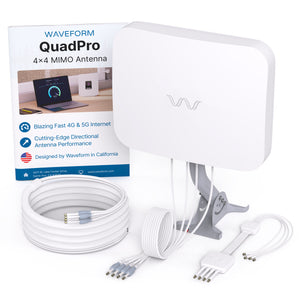
Which of the two different 4x4 MIMO External Antenna Kit options to use depends primarily on how much time you're willing to spend on aiming.

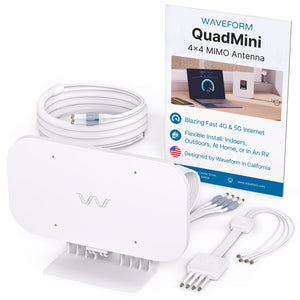
The easiest antenna choice is our DualMini Antenna Kit. With omnidirectional gain and multiple mounting options, it is designed to be extremely simple to install outdoors or indoors, at home or in an RV.

Easy install, no aiming

Upgrade your 5G in minutes with no aiming, and four easy mounting options. It’s ideal when placing an antenna outside isn’t possible or practical.

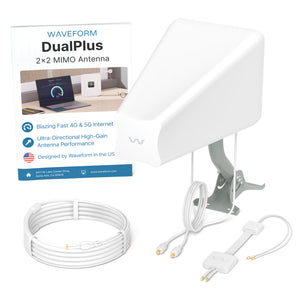
However, if you have line of sight to the nearest tower, the best external antenna choice is our DualPlus MIMO log periodic antenna kit. The higher gain on these antennas can get you better performance, but only when you have a straight shot to the tower.

Best with line of sight

This cross polarized log periodic antenna has higher gain and is more directional. It works best if you have direct line-of-sight to the tower.

The best option for users who want performance without opening their gateway, is to use an outdoor modem like the ProLink Outdoor 5G Modem. ProLink combines a high-gain directional antenna and X62 modem to deliver better speeds, lower latency and reliable connectivity.

Why External Antennas Are Critical for Improving Data Rates

Most people think that external antennas primarily help you increase your data rates by increasing the signal strength. But that's not the case.

An increase in signal strength is often less important than other ways that external antennas help.

Here are the two main ways that external antennas help you increase your data rates:

1.They Improve Signal Quality

In 4G LTE and 5G networks, signal quality is measured as SINR (Signal to Interference plus Noise Ratio) or sometimes as RSRQ (Reference Signal Received Quality).

Improving signal quality has a huge impact on your data rates.

Higher data rates allow your hotspot to communicate using "higher order modulation schemes." That means they can use the same wireless spectrum to send more data per second.

However, there's one big caveat:

In order to improve your signal quality, you need to both aim and shield your outdoor antenna properly. We talk more about this in the next section.

2.MIMO Isolation

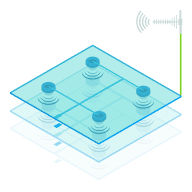
MIMO (Multiple Input Multiple Output) technology uses signals travelling along multiple paths simultaneously, increasing both bandwidth and reliability in wireless connections.

MIMO isolation is the antenna's ability to handle several data streams at once, cleanly and without interference, leading to quicker data speeds and steadier connections

Our external antennas are specifically designed for superior MIMO isolation, and dramatically outperform standard built-in antennas found in most home devices.

This means you'll see a more reliable connection with enhanced bandwidth, ensuring smoother streaming, gaming, and browsing with minimal interruptions.

Setting Up and Aiming MIMO Antennas

Positioning and aiming MIMO antennas well is crucial to getting the best performance to your AT&T Internet Air for Business 5G Gateway, or indeed any other router.

We've actually compiled a detailed instruction manual to accompany our own MIMO Antenna Kits, where we go into depth on the best ways to aim the antennas.

The goal is to find the best location and direction for the antenna(s), to maximize data rates to the 5G Gateway. It can take a little patience, but can have a huge impact – it’s worth a bit of extra effort!

Before getting started, it's always a good idea to run a couple of speed tests indoors from a device connected to your Gateway's WiFi. The results will fluctuate a little, but this is the baseline you're trying to improve.

Open the External Antenna Cover, and attach the MIMO antenna SMA connectors to the Gateway's SMA connectors.

The Gateway 5G should automatically switch to supporting the external antenna, but just in case it doesn't, you can toggle between internal and external antennas in the web UI.

With your connected device, use your preferred web browser to access the Web UI.

Using the address bar, navigate to http://attwifi.manager or http://192.168.1.1 to access the login page.

Enter your username and password, then click "Login".

From the Dashboard, click Network > Network Map > Antenna. From here you can toggle between the internal and external antenna.

Once you've got your external MIMO antennas, you're ready to go outside with your "test-rig."

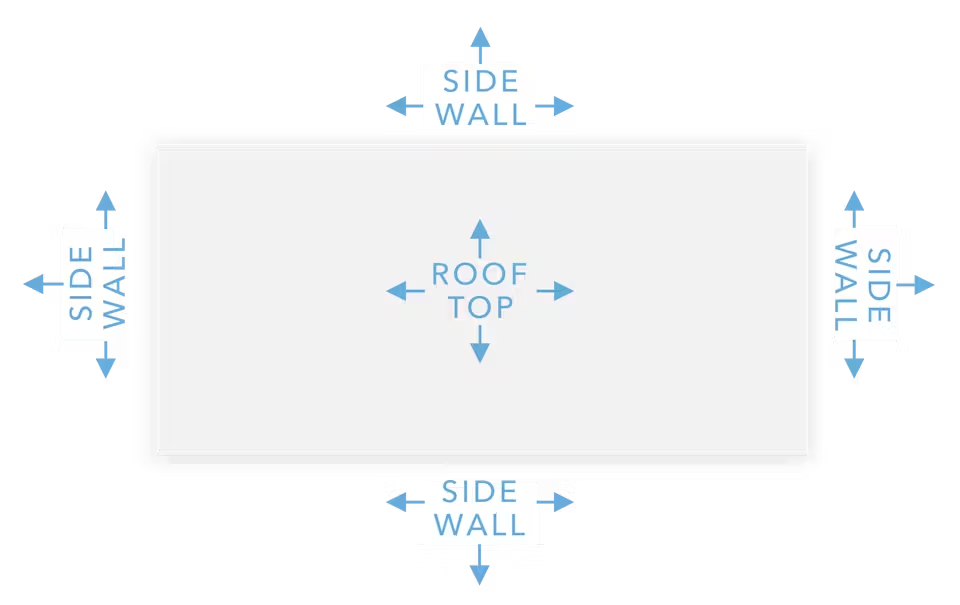
With each location and direction you try, run a couple speed tests, and make a note of the results. Here are all the locations and directions where we recommend testing your MIMO antenna:

Pro tip: Don’t just go to the highest point of the roof! While signal is generally stronger the higher you go, there’s also often more interference. We’ve found it’s often better to mount the antenna(s) on the side of the building where the structure can shield the antennas from interference.

Once you've found the position which gets you the highest data rates to the AT&T Internet Air for Business 5G Gateway, that's where you'll want to install the MIMO antenna. Go ahead and mount the antenna, run cables inside, connect everything up, and enjoy superior data rates!