










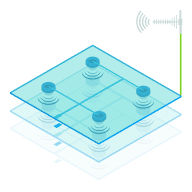

Does WAN bonding combine your internet speeds?
Why you can trust Waveform
Waveform is the leading provider of solutions for improving cellular signal and connectivity. Our team of experts has decades of combined experience in wireless communication and remains committed to providing honest, data-driven reviews and recommendations. We rigorously test every product we sell and maintain complete editorial independence. No company can pay to influence our reviews or product ratings.
Read more about Waveform
You have a couple of mediocre internet connections and a router that can use them both at once. The obvious question is whether you can just add their speeds together.
Usually, no.
Bonding can aggregate bandwidth, but in most real-world setups its biggest benefit is stability, not speed. The limiting factor is often the hardware doing the bonding, not the internet connections feeding it.
The math everyone does first
Say you have 20 Mbps of 5G, 15 Mbps from Starlink, and 50 Mbps of DSL. Add them together and you get 85 Mbps. Allow a little for overhead and maybe you expect 75 Mbps? Nope!
We get asked about this most weeks, often by someone trying to improve upload speeds. Video calls are struggling, cloud backups take all night, and there are already several internet connections sitting in the house. Combining them seems like the obvious answer.
And in theory, it works. With enough processing power and the right connections, bonding can get reasonably close to their combined bandwidth. The problem is that doing that is much more computationally expensive than it sounds.
What is your router actually doing when it bonds?
Bonding creates a single encrypted tunnel across all of your internet connections. Everything inside that tunnel appears to the internet as one connection with one IP address, regardless of which WAN each individual packet used.
That's what allows something like a Zoom call to keep going when one of your connections disappears entirely.
For every packet leaving your network, the router has to:
- Wrap it in tunnel headers so the other end knows what it is and where it belongs
- Add forward error correction data so missing packets can be rebuilt without retransmitting them
- Duplicate it across two or more WANs
- Encrypt every copy
- Decide which WAN each copy should use, then send it
At the other end, a relay server decrypts everything, throws away the duplicates, rebuilds anything that arrived damaged or incomplete, removes the tunnel headers, puts the packets back in order, and sends a clean stream out to the internet.
Then it does the same thing in reverse for everything coming back.
All of that work happens on a processor, for every packet, in both directions, thousands of times a second.
Why the ceiling is usually the processor
When bonded throughput is lower than expected, it's easy to assume one of the connections or the tunnel itself is the problem. Often, the router has simply run out of processing headroom.
We build Waveform Internet on Peplink hardware, so those are the numbers we know best.
At the extreme end, Peplink's 5000 EC can bond at 30 Gbps and costs somewhere around $40,000. Nobody has one of those sitting at home, but it's a useful demonstration of what it takes to bond connections at very high speeds. A lot of what you're paying for is the processing capacity required to do all of that work in real time.
The Peplink B One 5G we ship with Waveform Internet is a serious router with considerably more processing power than the hardware most ISPs hand out. On SpeedFusion Cloud, it manages roughly 200 Mbps of bonded throughput. With Peplink's SpeedFusion Unlimited licence and your own FusionHub server, you can disable encryption and push that closer to 400 Mbps.
Those aren't hard walls. We've seen throughput go higher.
But the same processor is also running Wi-Fi, smart queue management, firewall rules, traffic inspection, and everything else the router is responsible for. So the amount of processing capacity available for bonding changes with the rest of the workload. A house with forty devices hammering the Wi-Fi leaves less CPU headroom for the tunnel than a quiet network does.
Real-world connections make things harder
Bonding works best when the connections look similar.
Two 100 Mbps fiber lines with low, consistent latency are relatively easy to interleave. On capable hardware, you might see something like 170 Mbps of bonded throughput from them.
But people with two excellent, well-matched fiber lines usually aren't the people looking for bonding.
A more typical setup might combine a fast cellular connection, Starlink with latency that shifts as it hands between satellites, and a DSL line with single-digit upload speeds.
Those paths behave very differently. The more different they are, the more work the tunnel has to do waiting for slower packets and putting everything back into the right order.
We've seen mismatched connections bond to slightly more throughput than either connection could provide alone. We've also seen them bond to less than the faster connection could provide by itself.
So for most people, using the connections they actually have, bonding isn't going to meaningfully increase speed.
Where load balancing fits
Bonding isn't the only way to use multiple internet connections.
The other common approach is load balancing, which distributes traffic across your WANs without putting it through a tunnel.
When a device opens a new connection to something on the internet, the router picks a WAN for that session. The session then stays on that WAN until it's finished.
How the router chooses the WAN matters.
A good router can take available bandwidth and latency into account, or make different decisions depending on what kind of traffic it's handling. Simpler implementations use a fixed weighting, perhaps sending half of new sessions down one WAN and half down another. That works fine until one connection has a spike in latency and the router keeps dutifully sending half your traffic through it anyway.
There is some overhead involved in making those routing decisions, but it's negligible compared with bonding. It doesn't become the throughput bottleneck.
That means the total capacity available across your network really can approach the sum of all your connections. Ten devices can be using several WANs at the same time.
What load balancing cannot do is combine those WANs for one individual session.
A speed test runs over one session, so it only sees one WAN. The same is true of a single file upload, one video stream, or one call.
And because a session belongs to the WAN it started on, that session goes down if the WAN goes down. Your VPN disconnects. The call ends. The game kicks you out.
The router can fail over, but it happens after the session has already broken.
Enter: Selective bonding
The approach we prefer is to use bonding where it actually helps, and load balancing everywhere else.
High-end routers can make routing decisions based on IP address, port, client device, or deep packet inspection. We use those capabilities for what we call selective bonding.
Critical traffic that benefits from continuity goes through the bonded tunnel. Bulk traffic gets load balanced across the available WANs. Some traffic can be pinned to a particular connection where that makes more sense, and each category can have its own failover behavior.
The traffic most worth bonding tends to be session-based and latency-sensitive:
- VPNs
- Video calls
- VoIP
- Remote desktop
- Online games
Conveniently, none of this traffic uses much bandwidth.
A Zoom call might use 3 to 5 Mbps. A VPN session rarely exceeds 50 Mbps. An online game uses well under 1 Mbps. A 200 Mbps bonding ceiling doesn't matter much for any of them.
In return for the processing overhead, those sessions get the duplication and error correction that bonding provides. Packet loss on one WAN can be covered by another before the application notices. If one connection starts degrading, the tunnel can shift traffic toward the healthier one while the session is still running. If a WAN disappears completely, your public IP doesn't change and the session keeps going.
Everything else can stay outside the tunnel.
Streaming, downloads, cloud backups, browsing, and software updates can use whichever WAN is performing best, at its full native speed, without the encryption overhead. Different sessions can use different connections at the same time, so the household still gets access to the combined capacity of all of its WANs.
If the WAN carrying a download disappears, the download may stall briefly and resume on another connection. That's usually a perfectly reasonable tradeoff for traffic where nobody cares about a momentary interruption.
The result is that a bad minute on one of your connections mostly becomes something you notice after the fact, if you notice it at all. A stream might pause briefly. A call shouldn't.
What if you actually need more upload speed?
If you have 3 Mbps of upload and need 25 Mbps, bonding probably isn't the answer.
Adding another connection can help if the workload can be split across multiple sessions and load balanced between them. But one large upload still has to go through one WAN unless it's being bonded, which brings you back to the hardware and connection limitations above.
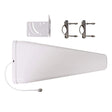
If you're using cellular, improving the cellular connection itself is often a better place to start. A good external antenna can make a substantial difference, especially because weak cellular signal often hurts upload performance before download performance.
Past that, you may simply need a different connection.
It's also worth making sure bandwidth is actually the problem.
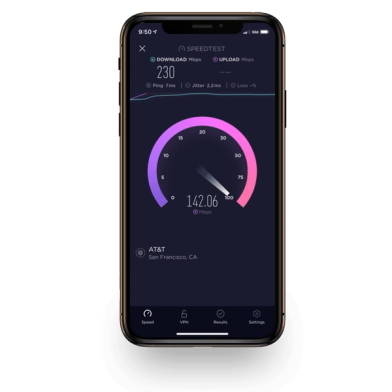
We talk to plenty of people who have perfectly respectable upload speed tests but terrible calls. A ten-second speed test can look fine even when the connection behaves badly several times an hour.
In those cases, the problem is often packet loss or jitter, and adding bandwidth doesn't fix either one.
Bonding does help with those problems, because packet duplication and forward error correction are specifically designed to deal with them.
What to actually expect from bonding
Vendors that advertise bonding based on aggregate throughput aren't necessarily being misleading.
With powerful enough hardware, a well-built tunnel, and multiple connections with similar performance characteristics, bonding really can get close to adding their speeds together. It's a compelling hypothetical that almost nobody's actual setup resembles.
But bonding is often worth having, because more speed usually isn't the solution anyway. What most people need is stable latency and connections that don't drop out mid-session. Bonding can smooth out latency spikes, absorb packet loss when one link is having a bad minute, and keep an active session alive when a connection disappears completely. In our experience, SpeedFusion adds roughly 5 to 10 ms depending on your distance from the relay server. That's generally insignificant compared with the multi-second stalls and complete session failures it's preventing.
Whether any of that is worth paying for depends on what you need from your internet connection.
If your connection is stable and the worst thing that happens is an occasional slow download, bonding may be solving a problem you don't have.
If you spend all day on calls, run a VPN back to an office, or depend on cellular somewhere the tower gets congested every evening, keeping those sessions alive can matter a lot more than making a speed test number bigger.
If you want the longer version, our Definitive Guide to Multi-WAN covers the whole spectrum from a phone hotspot to full orchestration.
About the authors
 Marcus Carstens
Marcus is the VP of Product at Waveform, where his team runs Waveform Internet, builds the company's 5G antennas and accessories, manages the third-party products it sells, develops services like plug-and-play private 5G, and writes the documentation that supports it all. He came to connectivity from an unlikely direction, with a degree in biodiversity and ecology, which turns out to be good training for making sense of messy, interconnected systems. He spends most of his time on the parts of a product people feel but rarely think about: whether the connection holds, whether the setup is easy, whether the whole experience earns trust. His approach is craft-first, built on a stubborn belief that getting the small things right is what keeps customers around.
About Waveform
At Waveform we help enable reliable cellular connectivity, everywhere. Trusted by thousands of consumers as well as NASA, Tesla, Stanford, and more. Learn more about Waveform
Suggested articles
See All Guides
The Definitive Guide to Multi-WAN Internet
By Marcus Carstens · 52 min read