















Backup Internet for Your Home: Every Option, and Who It Suits
Why you can trust Waveform
Waveform is the leading provider of solutions for improving cellular signal and connectivity. Our team of experts has decades of combined experience in wireless communication and remains committed to providing honest, data-driven reviews and recommendations. We rigorously test every product we sell and maintain complete editorial independence. No company can pay to influence our reviews or product ratings.
Read more about Waveform
- Key takeaways
- What is backup internet?
- How does backup internet work?
- Does backup internet switch over by itself?
- Is the backup already online?
- Does your public IP stay the same?
- Can backup internet use both connections at once?
- Do I need backup internet?
- Popular backup internet options, and who each one suits
- Carrier backup plans: cheap, but check how independent they really are
- Starlink: independent of the networks on the ground
- Cellular backup built into your ISP or your router
- Power: the part that's easy to overlook
- Waveform Backup Internet
- How to test your backup before you need it
- Final thoughts
- Frequently asked questions about backup internet
You're forty minutes into a client call when the screen freezes.
A few minutes later you're back online.
But the call isn't.
Your client has gone, your VPN has dropped, and the upload you started this morning is back at zero.
That's why backup internet is so important. It's a second connection that takes over when your main one fails.
But having a backup is only half the question. Whether it actually works as required is the other.
This guide compares the main options, who each one suits, and how to test whichever you choose.
Key takeaways
- Most backups change your public IP. That can interrupt calls, VPNs and uploads during the switch, even once the internet is back. Some apps reconnect on their own; others don't.
- Check the switch, not just the speed. How long the switch takes, and whether your public IP stays the same, can matter more during an outage than the backup's top speed.
- A backup on the same network can go down with it. Carrier add-ons are cheap and often enough, but check which network each one uses, as they may fail when you need them most.
- You may not need a premium backup. A phone hotspot, a carrier add-on or Starlink is the right fit for plenty of homes, and our comparison below shows where each one fits.
- Test it before you need it. Start a call, cut only the primary connection and time what happens to the call itself. Then test the power side separately.
What is backup internet?
Firstly, let us explain what we mean by the phrase "backup internet."
A backup internet connection is a second route to the internet that takes over when your primary connection fails.
Three terms are worth pinning down before reading on:
- Primary connection. Your main internet service. Usually cable, fiber or fixed wireless.
- Secondary connection. The backup. Usually cellular, sometimes satellite.
- Failover. The moment your equipment gives up on the primary and moves traffic to the secondary.
Think of backup internet as a safety net rather than an upgrade.
It won't make your internet faster on a normal day, and that isn't the point. It's for people who want outages to stop mattering, not for people chasing speed.
How does backup internet work?
Every backup product on the market says it keeps you online. But how each solution does that differs.
What matters just as much is what happens in the moment your primary drops and the backup takes over. That transition is the difference between a backup that saves your working day and one that simply gets the house back online.
Four separate questions decide what that moment looks like. Ask each one about any backup you're considering, because products answer them differently.
If you want the deeper technical picture of running two connections together, check out our definitive guide to multi-WAN.
Does backup internet switch over by itself?
The simplest backup is manual, and most households already have one without calling it a backup.
The internet goes down, you tether to your phone or move everything onto a separate hotspot's Wi-Fi, and you carry on.
If your phone plan already includes enough hotspot data, it may cost nothing extra and it works for most things.
What it doesn't do is happen by itself. Every device has to be moved across by hand, whatever was running has usually dropped by then, and if the outage starts while you're asleep or out, nothing happens at all.
As you can imagine, this is certainly not ideal for businesses such as restaurants or construction sites, where time offline is very expensive.
But, for a household that just wants the TV back, that's genuinely fine, and it's where most people land.
Is the backup already online?
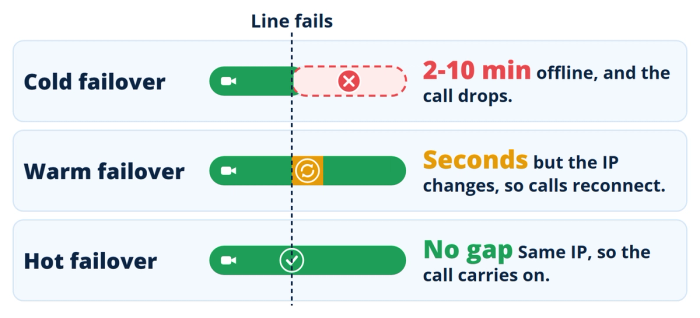
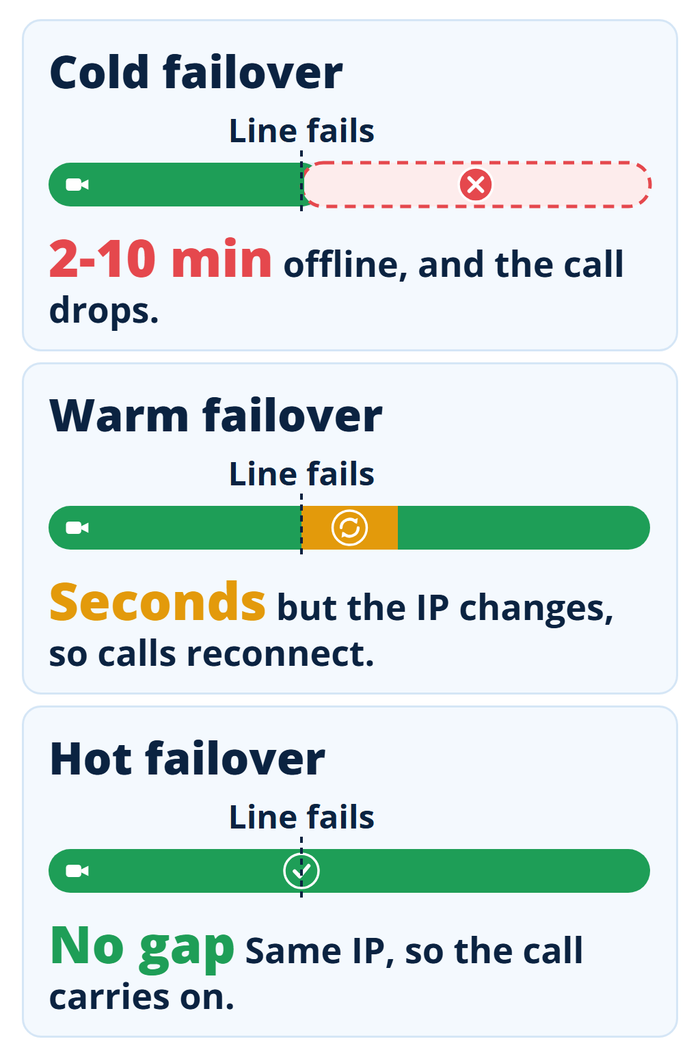
Some automatic backups only bring the second connection up once the primary has failed, which is often called "cold" failover. Depending on the equipment and how quickly it spots the failure, the gap can run from two to ten minutes.
With what we'll call "warm" failover, both connections are already online, so traffic can move across much faster, usually in seconds.
With hot failover, both connections are online and bonded together, so there's no switch to wait for at all. The next section explains why that also keeps your public IP the same.
Providers rarely say which approach their backup uses, so treat the switch time as something to measure rather than assume. There's a test for it at the end of this guide.
Does your public IP stay the same?
Every internet connection comes with a unique public IP address. In a typical failover, the switch to the backup connection inherently changes your public IP address.
That sounds like a technicality, but it's much more of a problem than you think. Sessions established on the old address will pause, reconnect or fail. Video calls usually freeze or drop, online games will kick you out of the lobby, VPNs will disconnect, live streams will fail, and uploads and downloads struggle to resume. Some apps reconnect on their own within seconds. How yours behave depends on the application and the failover setup.
Keeping the same IP address through a failover requires a remote tunnel. Your traffic reaches the internet through the same remote server whichever connection is carrying it, so your public IP can stay the same. This is one of the benefits of WAN bonding.
Any of the connections inside the bonded tunnel can fail and recover while all traffic stays on the same public IP address, so apps and sessions continue as if nothing ever happened.
There are a few options for WAN bonding. Peplink calls its version SpeedFusion, and it's what powers the Smart plans of Waveform Internet and Waveform Backup Internet.
Can backup internet use both connections at once?
Failover uses one connection at a time. Two other techniques use both.
Load balancing spreads your devices' connections across both lines, so the household gets more total capacity, but each individual connection still runs over one line. It's what most dual-WAN routers mean when they say they combine connections.
Bonding goes further: it can send a single session across more than one connection and reassemble it at a remote server. That needs infrastructure built for it, which is why a basic dual-WAN router usually offers load balancing or failover rather than true bonding.
Bonding and session preservation are separate features, even when they come in the same tunnel. Peplink, for example, lists hot failover, bandwidth bonding and smoothing as separate SpeedFusion capabilities. A backup that keeps your IP doesn't have to add any speed, and for backup that's fine.
Do I need backup internet?
Here's how to tell. Find the situation below that matches yours.
- If you mostly stream, browse and scroll: probably not. An outage is annoying rather than expensive, and if your phone plan includes enough hotspot data and you have good cellular coverage, that may be all the backup you need.
- If you work remotely and a dropped call is survivable: simple cold failover is usually enough. You want to stay online, but if a meeting cuts out you can dial back in.
- If your income depends on calls that can't drop: look for session continuity. That means hot failover with a persistent public IP, and a test that shows it working at your address. Think consultants billing by the hour, retail stores, clinics, or anyone on call. The Smart plan of Waveform Backup Internet is built for exactly this.
- If you're rural, or your provider is the only one in town: you may need a better connection and a backup, and they're different problems. Test the cellular networks available at your address, using our guide to realistic cellular speeds as a baseline. If a usable backup signal is weak indoors, a compatible external antenna may help. If no cellular option performs reliably, consider satellite.
Popular backup internet options, and who each one suits
There's no single best backup for everyone, so we've matched each option to the situation it suits.
The main options fall into four groups: Starlink, a carrier's 5G backup add-on, a do-it-yourself multi-WAN setup, and a managed service like Waveform Backup Internet.
Here's how they compare, using each provider's published terms. The carrier column covers AT&T, Verizon and T-Mobile together, so it shows the range; each carrier's details, with links to its terms, follow the table.
| Starlink | Carrier 5G backup add-ons (AT&T, Verizon, T-Mobile) | DIY multi-WAN setup | Waveform Backup Internet (Smart) | |
|---|---|---|---|---|
| Price | The Starlink kit plus a monthly plan. Residential prices depend on your address; Roam plans start at $55/mo | From no extra charge (AT&T, if you qualify) to $30/mo (Verizon before discounts). T-Mobile is $20/mo with AutoPay, plus a $35 device connection charge | A failover router plus a second connection you pay for separately. A router with a built-in 5G modem runs to hundreds of dollars on its own (a Peplink BR1 Mini 5G is $785 retail) | $140/mo with hardware included, or $799 upfront for the hardware + $100/mo |
| Who can get it | Availability and price depend on your address; the 100 Mbps and 200 Mbps Residential plans are only in select areas | Depends on the carrier: AT&T needs AT&T Fiber, a compatible gateway and an eligible AT&T unlimited phone plan; Verizon and T-Mobile sell theirs where available, with credit approval | Anyone willing to choose, set up and maintain the equipment | Addresses where we can deliver a usable 5G connection; works alongside any provider |
| Allowance | Unlimited data on Residential plans; Roam 100 GB and 300 GB plans drop to low-speed data after their allotment | From seven 24-hour sessions a month (Verizon) to 100 hours a month plus three 100-hour Backup Passes a year (T-Mobile); AT&T uses your phone plan's unlimited data | Whatever your second connection's plan allows | Unlimited cellular data; 250 GB of bonded traffic a month, with automatic free top-ups |
| How it switches | Manual, unless a router in front of it handles failover. Either way, your public IP changes | Manual with Verizon (start a session in the app); automatic with AT&T, and with T-Mobile once its Gen4 gateway is set up for it. Either way, your public IP changes | Automatic if your router supports failover, but usually cold or warm failover, so your public IP changes unless you add a paid bonding service | Hot failover: your connections are online and bonded, with a persistent public IP, so there's no gap to notice |
| Active calls and VPNs during the switch | Interrupted when traffic moves to the new connection; recovery depends on the app | Interrupted when traffic moves to the backup; recovery depends on the app and setup | Interrupted unless you add a bonding service; recovery depends on the app | Calls, video and VPNs stay connected on a persistent public IP |
| Network it runs on | Satellite, independent of local cables and cell towers | The carrier's own cellular network (AT&T's runs through your phone) | Whichever second connection you choose | One 5G network selected for your address, plus up to 3 connections of your own |
| Setup and ongoing management | Self-install the dish; automatic failover needs a router you set up yourself | Self-setup in the carrier's app, with the carrier's standard support | All on you: choosing hardware, configuring failover, testing it and keeping it working | Configured before it ships, monitored 24/7 and managed remotely |
Carrier backup plans: cheap, but check how independent they really are
Look at the network row again. If your home internet and your backup come from the same company, as with AT&T Fiber and AT&T Internet Backup, they still use different access networks, so a cut fiber line won't take out the backup.
That's useful redundancy, because many outages affect the primary access path without also taking down the cellular network.
However, when the fault is in the company's network itself, a backup on that same network can go down with it.
So the question isn't which company sends the bill. It's whether your primary and your backup share a failure point that matters at your address.
- Verizon Wi-Fi Backup. The lowest price needs Auto Pay, paper-free billing and an eligible Verizon mobile phone plan, and the service is subject to credit approval. Verizon quotes typical downloads of 25 to 30 Mbps on 5G Ultra Wideband and 3 to 25 Mbps on 5G or 4G LTE. Because each session starts in the Verizon Home app, an outage that begins while you're asleep stays an outage until you wake up. Verizon's Wi-Fi Backup FAQs have the details.
- AT&T Internet Backup. Hard to beat if you qualify, with one catch: the gateway connects through your linked phone or tablet, so the backup only works while that device is at home, near the gateway and charged. A phone that leaves the house with you isn't the same as a dedicated cellular modem that stays put. AT&T's support article covers setup.
- T-Mobile Home Internet Backup. You don't need a T-Mobile voice line, and the 100 hours a month are backed by three Backup Passes a year, each with another 100 hours at no extra cost, which matters in a long outage. It needs credit approval and service at your address. Automatic mode needs T-Mobile's Gen4 gateway, an Ethernet cable from your primary router to the gateway, and each device you want protected joined to the backup Wi-Fi with auto-reconnect on; manual mode works with any gateway. T-Mobile's setup instructions and backup internet page have the current terms.
Starlink: independent of the networks on the ground
Starlink belongs on this list, and for some people it's the best answer on it.
Because it's a satellite service, a cut cable, a dead neighborhood node or congestion on a local cellular tower won't normally affect the Starlink link itself. If your primary is cable or fiber, that gives you strong infrastructure diversity.
The trade-offs are cost and the switchover.
You pay for the dish plus a monthly plan (Roam plans start at $55 a month; Residential prices depend on your address), which is more than any carrier add-on here, and on its own it doesn't switch anything. Unless you put a router in front of it that handles failover, you're back to a manual switch, and active sessions may drop when you move across. Its Standby Mode, which pauses an existing plan for a small monthly fee, keeps only low-speed data (up to 500 Kbps), so it's for messages rather than a working day.
Where it makes the most sense: if cellular coverage at your address is poor, Starlink can be one of the strongest independent backup options.
Cellular backup built into your ISP or your router
A growing number of providers and router makers offer cellular backup that works with their existing equipment. Some are service add-ons; others need extra hardware.
Spectrum's Invincible WiFi, Xfinity Pro WiFi Backup and Frontier's Unbreakable Wi-Fi all work this way. eero Signal does too, but it's a separate cellular unit that plugs into a compatible eero router, and it needs an annual eero Plus subscription.
If you're already with one of these providers, it can be the cheapest automatic backup available to you.
For a household that needs the internet back rather than the call kept alive, it can do the job well. Terms, prices and allowances vary by provider and location.
Check four things before you rely on one: which cellular network it uses, whether the switch is automatic, what usage limits apply, and whether it keeps working in a power cut. The company that bills you isn't always the one running the backup network. Xfinity Pro WiFi Backup, for example, needs Verizon LTE coverage at your address, and some of these products need a battery add-on to keep going when the power is out.
Power: the part that's easy to overlook
A backup connection does nothing without power. Lose power at home and your internet is down, whatever backup you have, unless your network gear is on a battery.
So add a UPS (uninterruptible power supply). It's the cheapest backup worth having: a modem and router draw little power, so even a modest UPS keeps them running for a useful stretch. Size it for your network gear, not the whole desk.
A UPS can't power your provider's equipment in the street, but many cell sites have backup batteries. That's why a cellular backup on a UPS can sometimes stay online through a local power outage after cable internet has gone down.
Plug your network gear into surge protection too, because power can come back with a spike that damages equipment. If your backup uses an outdoor antenna, its cable also needs a coaxial lightning arrestor, which a power strip doesn't provide.
Waveform Backup Internet
This guide has turned up four recurring problems: your backup may share a failure point with your primary, the switchover can change your IP and interrupt whatever you were doing, carrier backups are largely self-managed, and a metered allowance can run out during a long outage.
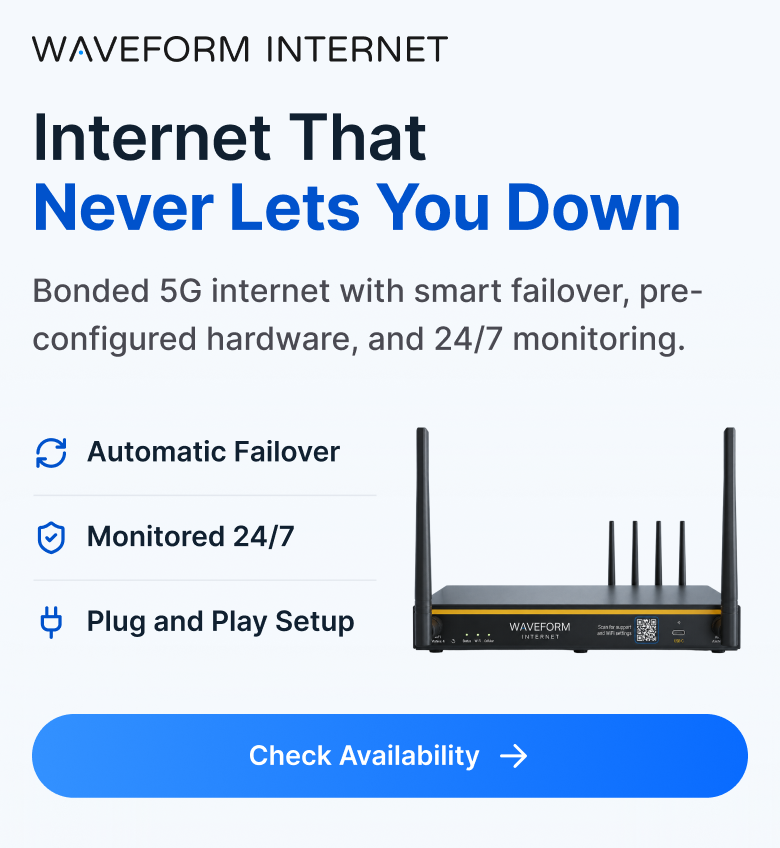
Waveform Backup Internet is designed around those four. It comes in two plans. Essential uses warm failover: the backup connection is already online, so it takes over automatically within seconds, with 10 GB of backup data a month. Smart uses hot failover: your connections are bonded, so calls, video and VPNs keep the same public IP through the switch, and cellular data is unlimited. Full plan details.
It isn't tied to your provider.
We look at real signal data for your address and select the strongest available network for the included 5G connection, with support for up to 3 connections of your own alongside it.
On Smart, important sessions are designed to survive the switch.
Standard failover changes your public IP, which can interrupt calls and VPNs. Smart uses hot failover: calls, video, VPNs and gaming run through a bonded tunnel with a persistent public IP, so they keep going when your internet connection fails. Everything else runs directly at full speed.
Somebody is watching it.
Most carrier backup products are largely self-managed. They can sit unused for months, which means the first real test may be the outage when you need them. We configure the hardware for your address before it ships, monitor it 24/7 and manage it remotely afterward, and we usually catch problems before you notice them.
On Smart, data is unlimited.
Carrier backup plans are usually metered. T-Mobile's 100 hours a month is about four days of continuous use, though its three yearly Backup Passes add 100 hours each, and Verizon's seven 24-hour sessions cover a week at most. On our Smart plan, cellular data is unlimited, and the plan includes 250 GB of bonded traffic a month, with automatic free top-ups for occasional excess usage. The Essential plan includes 10 GB of backup data a month.
Where we're not the answer. If no cellular network performs reliably at your address, even with an external antenna, Starlink is likely to serve you better than we can. No failover design fixes a signal that isn't there.
If your provider already offers cellular backup and you mainly need the household back online, start there; it's likely to cost less.
And if an outage costs you an evening rather than money, a phone hotspot is the right amount of solution. We're built for the case where a dropped call costs you more than the monthly fee.
How to test your backup before you need it
This check takes about fifteen minutes and shows what you've actually got.
- Note your public IP address. Search "what is my IP" or use any IP-check site, and write it down before you disconnect anything.
- Start what you want to protect. A video call with someone patient, a VPN session or a large upload.
- Cut only the primary internet path. Leave the router, the backup equipment and any Wi-Fi gear you rely on powered. If your modem is a separate box, unplug the cable between it and your router. If your provider's gateway is also your router, unplug its incoming line (the coax or phone cable) rather than its power. With fiber, unplug the Ethernet cable between the fiber box and your router where you can, rather than handling the fiber cable itself.
- Start a timer the moment you disconnect.
- Watch what you started; this is the real result. Did it carry on, freeze and recover, or drop? If it dropped, did the app reconnect on its own, and how long was the interruption?
- Recheck your public IP, as a clue rather than a verdict. Some services keep only calls, VPNs and similar traffic on the same address, so an IP-check site can show a new one even when your call kept its own. And seeing the same IP doesn't prove the interruption was short enough for your app. What matters is whether the application you tested kept working, and how long any interruption lasted.
- Reconnect the primary and watch the failback. Time how long traffic takes to move back, and check that it moves back at all. Some setups never switch back on their own.
- Test power separately. On another day, cut mains power to your network gear (or unplug the UPS from the wall), then check how long everything keeps running and whether the backup comes up on battery.
Write the numbers down. It's also worth running a connection quality test while the primary is up, so you know what normal looks like.
Final thoughts
Backup internet isn't one product, and many people reading this won't need a premium setup.
Here's where to start, depending on what an outage actually costs you.
- If an outage costs you an evening rather than money: your phone's hotspot is probably enough, which makes $20 a month, every month, hard to justify.
- If you work from home and a dropped call is survivable: a carrier add-on, or the backup your provider already offers, is usually enough. If you're on AT&T Fiber with an eligible unlimited phone plan, AT&T's costs nothing extra, as long as your phone is home when the outage happens.
- If you're rural, or cellular signal is weak where you live: test the cellular networks at your address first. A compatible external antenna may help a weak backup signal indoors, and if no cellular option performs reliably, consider Starlink. Improving your main connection and adding an independent backup solve different problems, and you may need both.
- If your income depends on calls that can't drop: look for hot failover with a persistent public IP, and test it. That's what the Smart plan of Waveform Backup Internet is designed for.
Every plan comes with a 30-day risk-free trial: if it isn't the right fit, return everything within 30 days for a full refund of hardware and service. Check availability, or talk to an expert, for thoughtful advice and no sales pitch.
Frequently asked questions about backup internet
How much does backup internet cost?
Carrier add-ons run roughly $20 to $30 a month, and AT&T's costs nothing extra if you meet its conditions. Some providers now include cellular backup with your existing service. Satellite costs more, for hardware and monthly service. Waveform Backup Internet is $100 a month on Essential or $140 on Smart, with hardware included. The right question isn't which is cheapest, it's what an hour offline actually costs you.
Will my VPN or Zoom call survive a failover?
Usually only with hot failover, where both connections are online and bonded through a tunnel, so your call or VPN keeps the same public IP address through the switch. Cold and warm failover change your public IP, which can interrupt VPNs and calls, although some apps reconnect automatically.
Do my two internet providers actually share infrastructure?
They might. Some providers resell capacity on someone else's physical network, and wired services can share poles, street cabinets and backhaul. Ask each provider whose network it runs on before you assume two services give you two independent routes. Shared infrastructure doesn't make a backup worthless, but it won't cover every failure.
Does failover detect a slow connection or only a dead one?
Many basic failover setups only check whether the primary connection is reachable. A link can therefore remain technically "up" while performing badly enough to be unusable. More advanced systems can also monitor latency, packet loss and other quality metrics before deciding to fail over.
Why is my cellular backup slow in the evening?
Usually congestion, sometimes made worse by data prioritization. When a tower gets busy, lower-priority traffic can receive less capacity than higher-priority traffic. Backup connections are especially vulnerable during widespread outages because many people may move onto cellular at the same time.
About the authors
 Marcus Carstens
Marcus is the VP of Product at Waveform, where his team runs Waveform Internet, builds the company's 5G antennas and accessories, manages the third-party products it sells, develops services like plug-and-play private 5G, and writes the documentation that supports it all. He came to connectivity from an unlikely direction, with a degree in biodiversity and ecology, which turns out to be good training for making sense of messy, interconnected systems. He spends most of his time on the parts of a product people feel but rarely think about: whether the connection holds, whether the setup is easy, whether the whole experience earns trust. His approach is craft-first, built on a stubborn belief that getting the small things right is what keeps customers around.
About Waveform
At Waveform we help enable reliable cellular connectivity, everywhere. Trusted by thousands of consumers as well as NASA, Tesla, Stanford, and more. Learn more about Waveform
Suggested articles
See All Guides
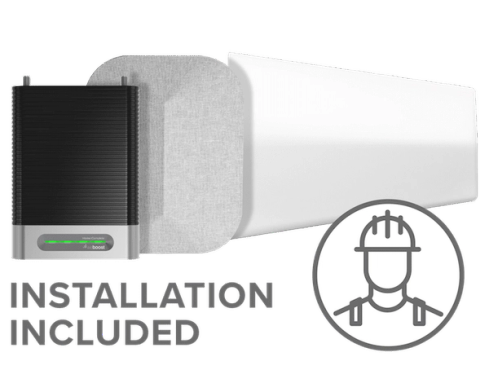
weBoost Installed Home Complete Launches Today
By Sam Westwood · 4 min read

The Fallacy of Internet Speed
By Marcus Carstens · 9 min read